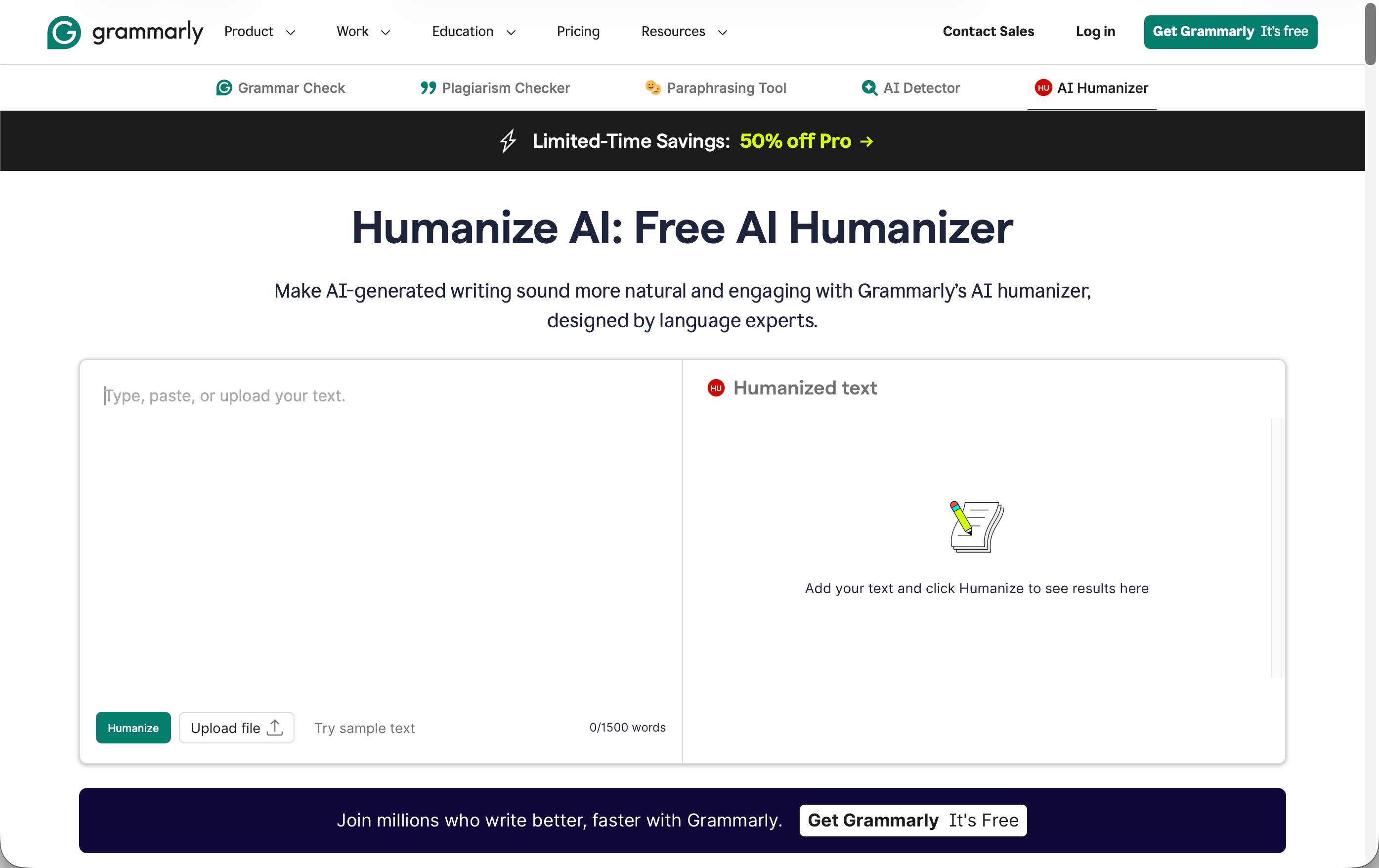
Grammarly is a well-known name, recognized by users around the world mainly as an intelligent grammar and writing-style checker. Their new AI Humanizer tool promises to make “AI-generated writing sound more natural and engaging” using technology “designed by language experts.” Unlike most AI humanizer services that explicitly market themselves as detection bypass tools, Grammarly states upfront that its humanizer “does not aim to bypass detection” but instead focuses on improving clarity, flow, and readability. Naturally, I wanted to see how good the “improved” writing actually is and what AI detectors think about it.
How we test: We generated three AI content samples using the latest ChatGPT model, each focused on AI humanization topics. We established baseline detection scores by running the original AI-generated texts through both GPTZero and ZeroGPT, then processed each sample using Grammarly’s AI Humanizer. We re-tested the humanized outputs through both detection platforms to measure how effectively the tool reduced AI detection scores. We also manually evaluated the grammar quality and readability of all humanized text. You can find the raw test data for this review here.
| Pros | Cons |
|---|---|
| Clean, grammatically correct output | 100% AI detection on all three test samples |
| No artificial text expansion (maintains original word count) | Text still reads like AI writing despite improvements |
| Transparent about not being a detection bypass tool | Limited standalone value for humanization purposes |
| Available on Free tier without account creation | Core Grammarly tools offer more control for quality improvement |
| Part of comprehensive writing toolkit (grammar, tone, plagiarism) | Expensive if you only need humanization features |
| Strong privacy practices with AI training opt-out | Doesn’t address underlying AI writing patterns |
| Users retain full content ownership |
How Well Did Grammarly AI Humanizer Perform?
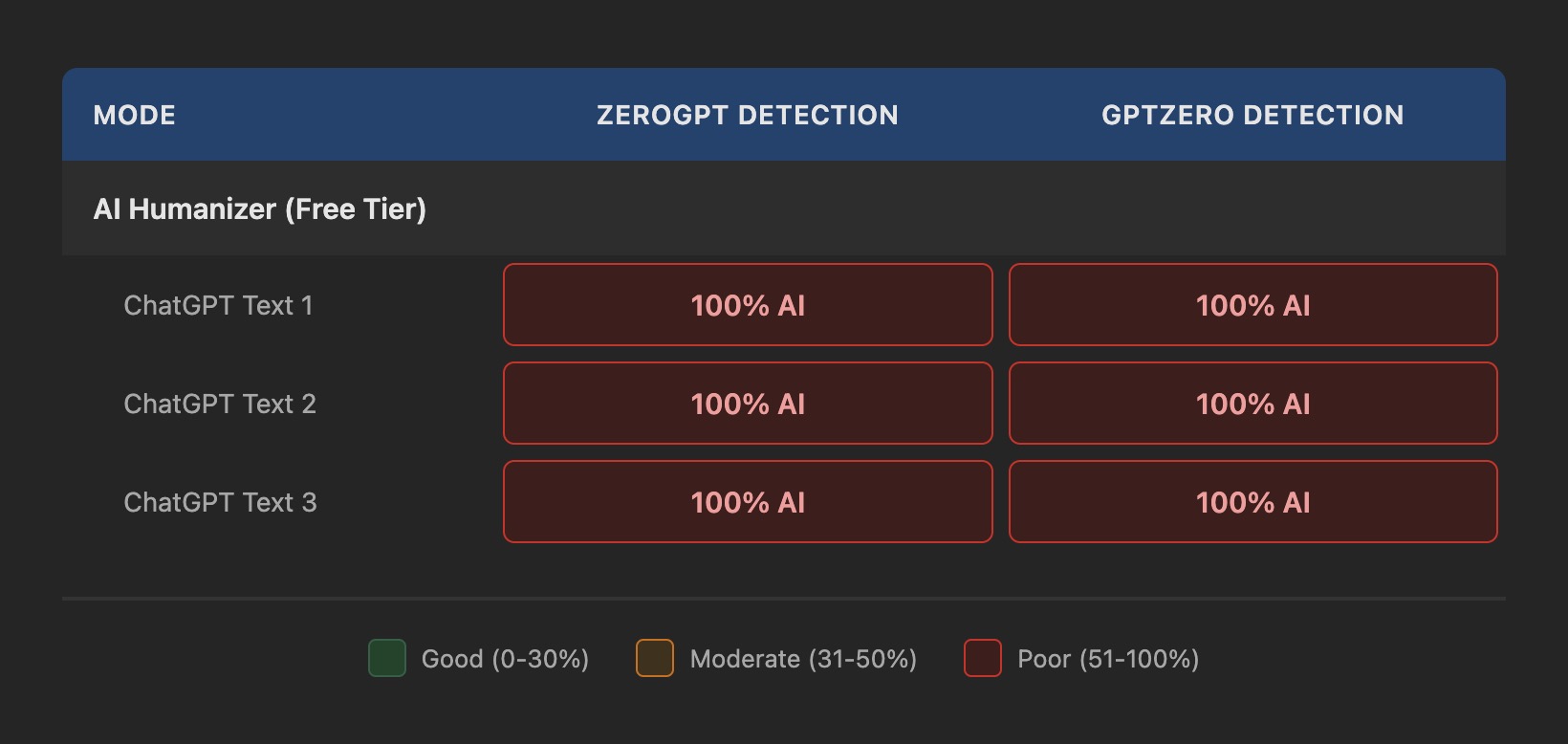
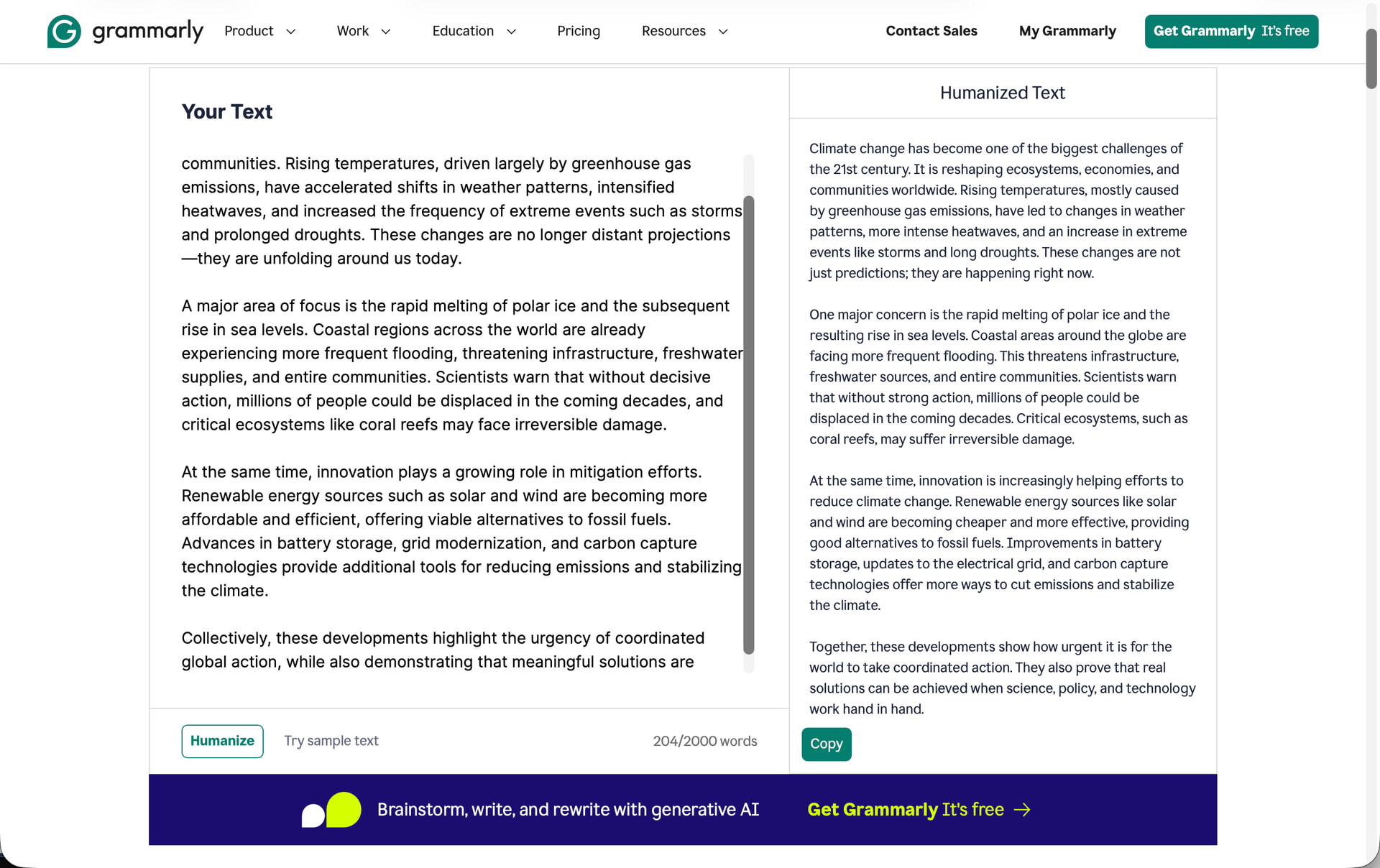
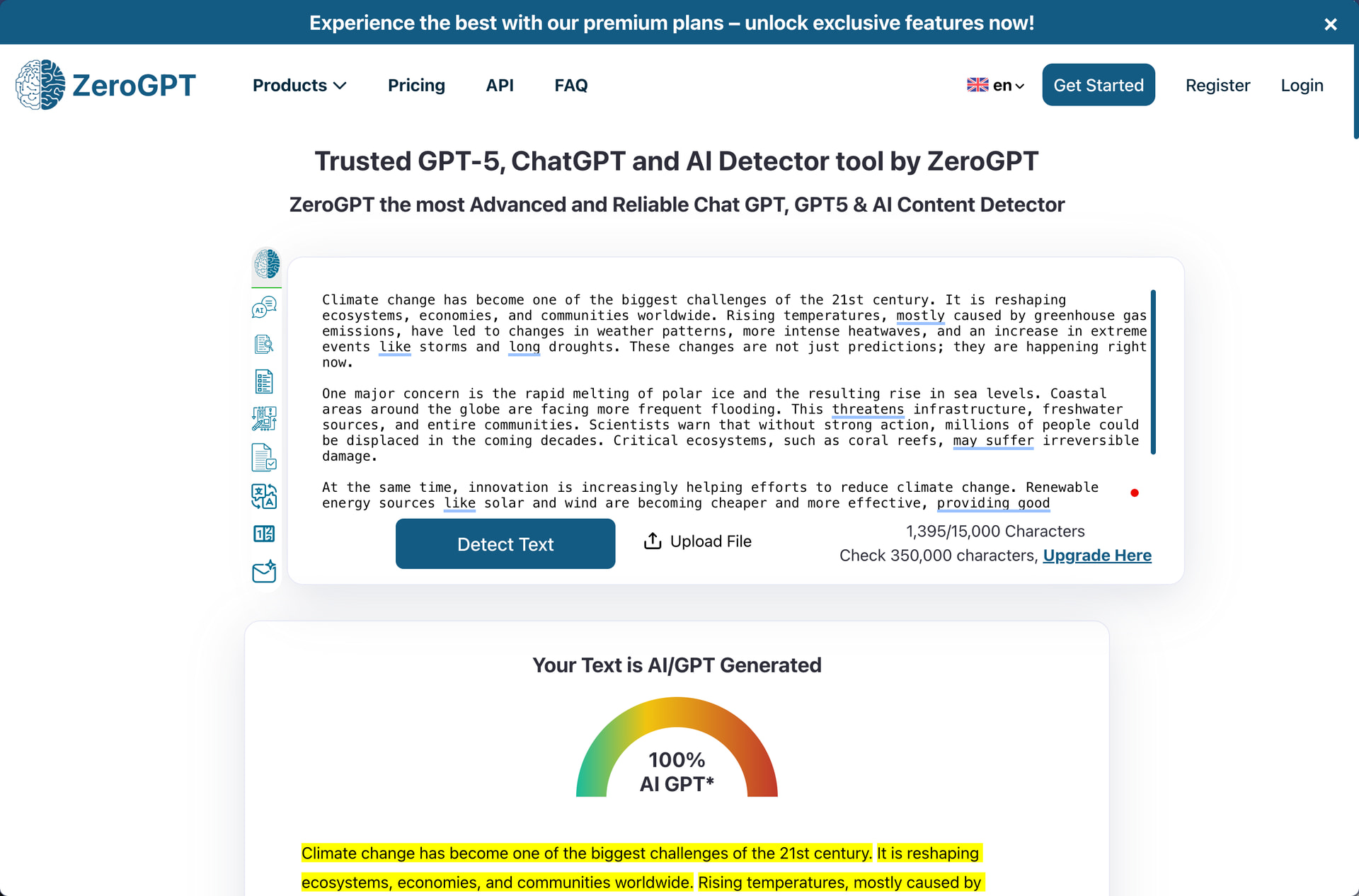
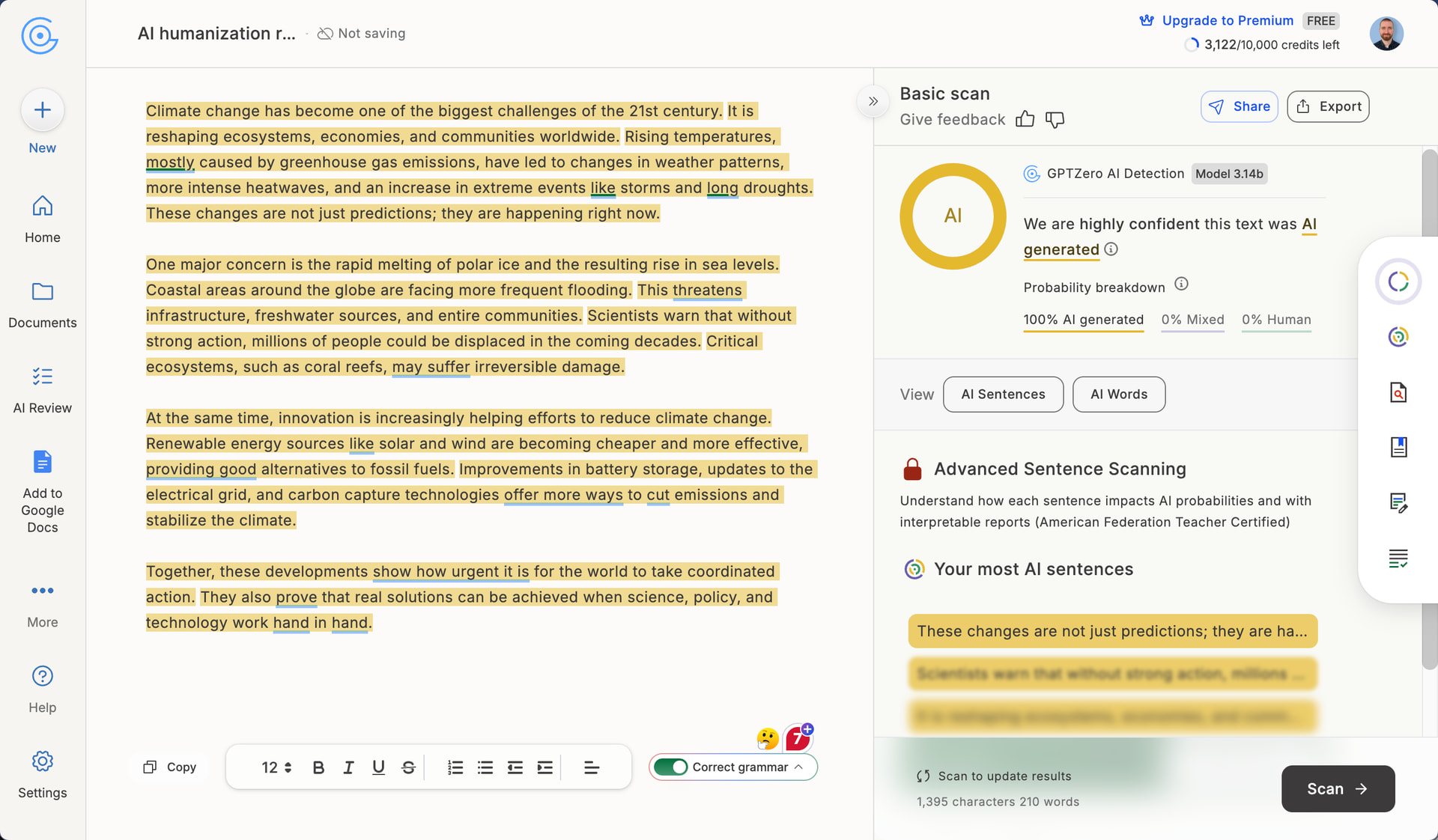
Grammarly’s AI Humanizer failed to reduce AI detection scores on any of our test samples. Both GPTZero and ZeroGPT flagged all three humanized texts at 100% AI detection, which is identical to what they would have scored without any humanization at all.
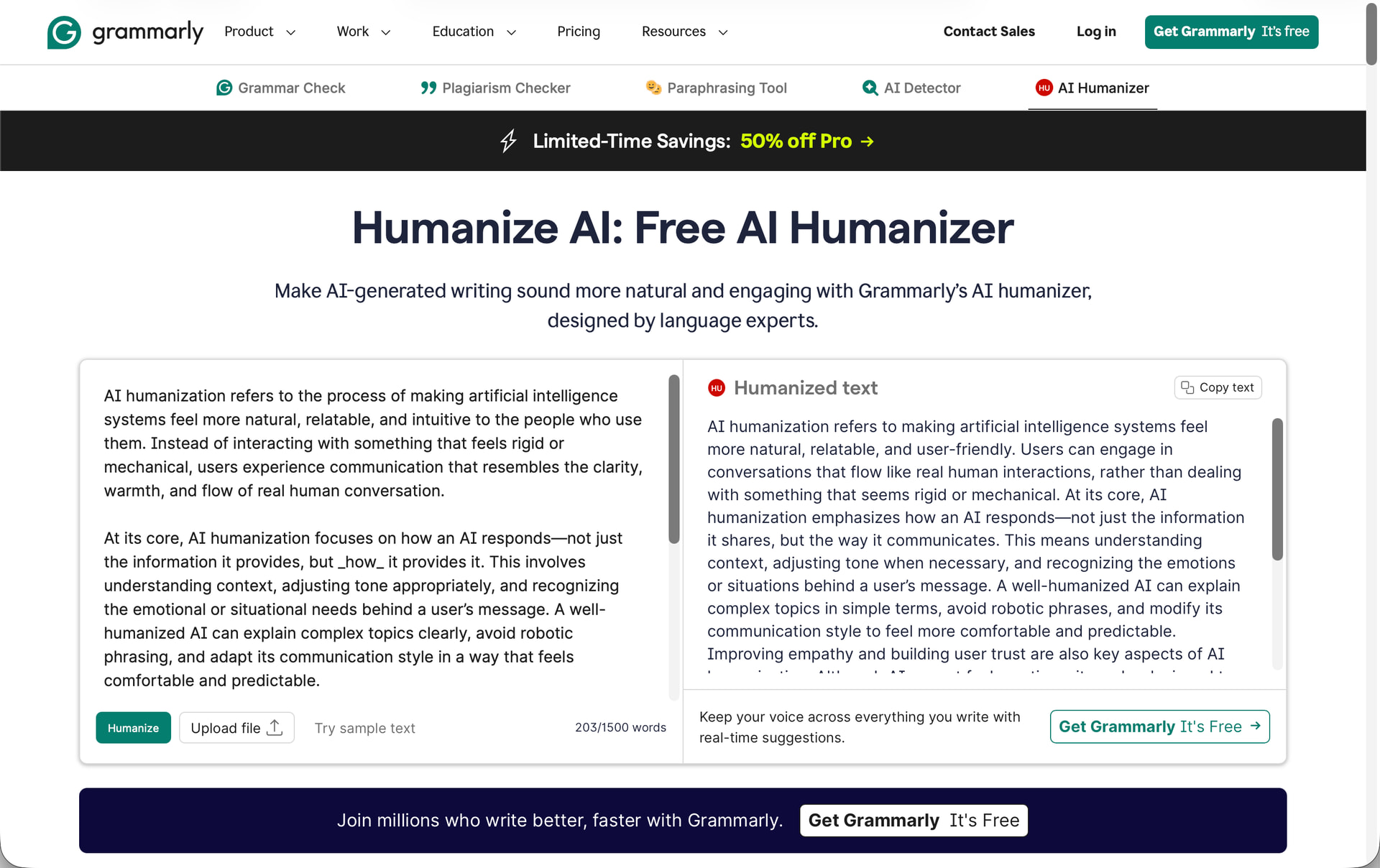
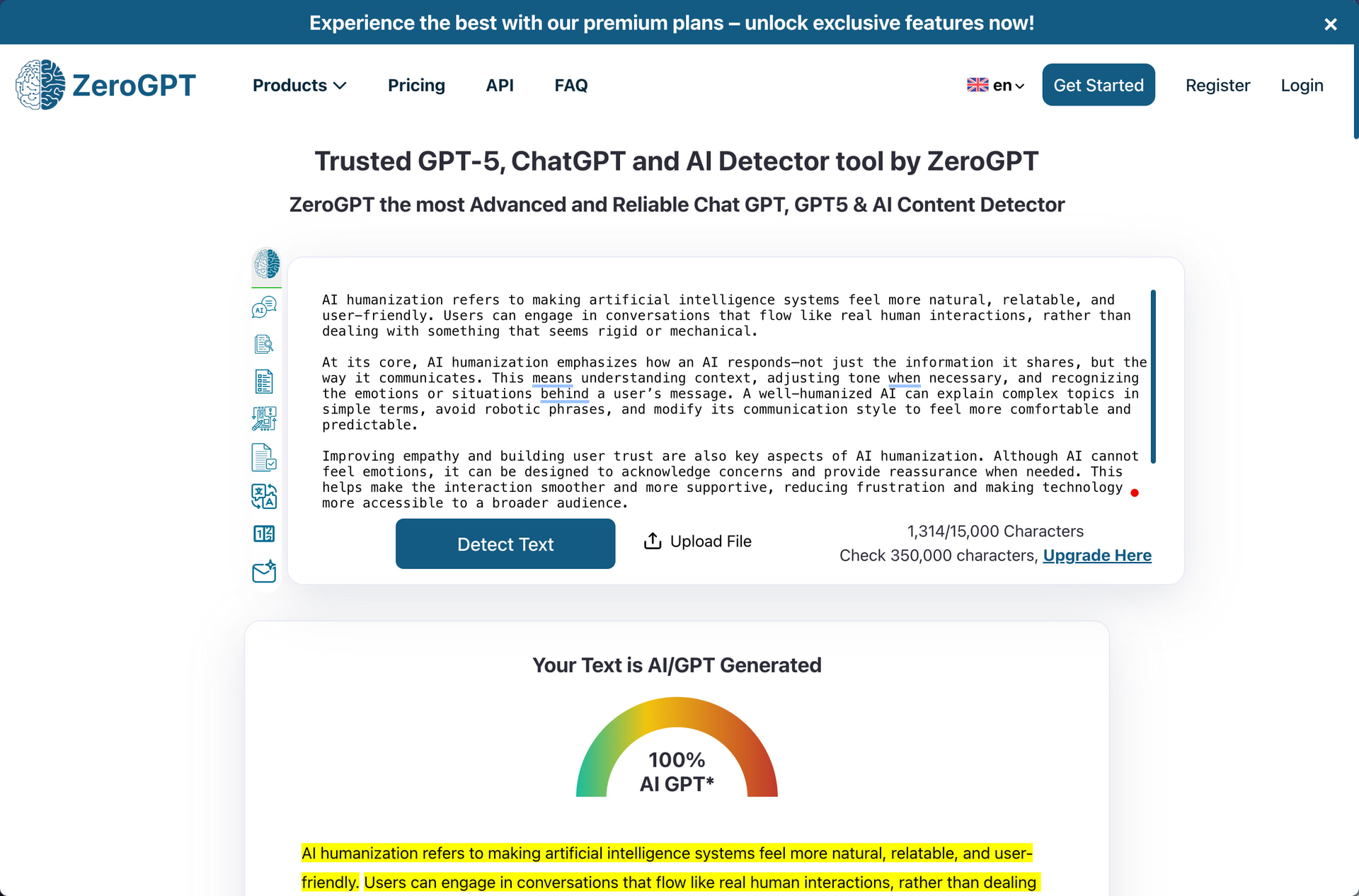
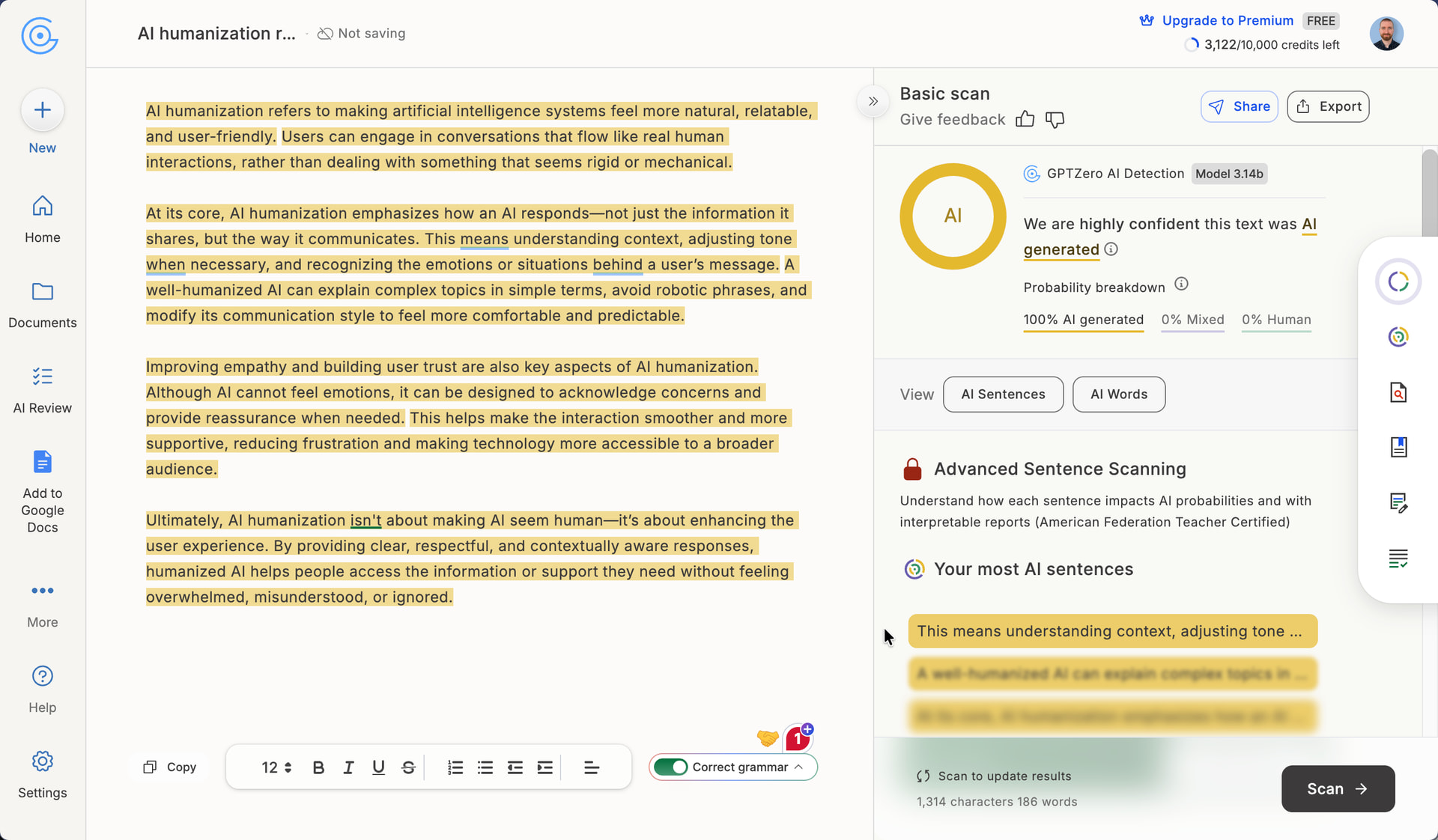
To be fair, Grammarly explicitly states on their website that their humanizer isn’t designed to help users bypass detection, so this outcome isn’t exactly surprising. They’re being honest about the fact that the tool is designed to improve readability and flow, not fool AI detectors.
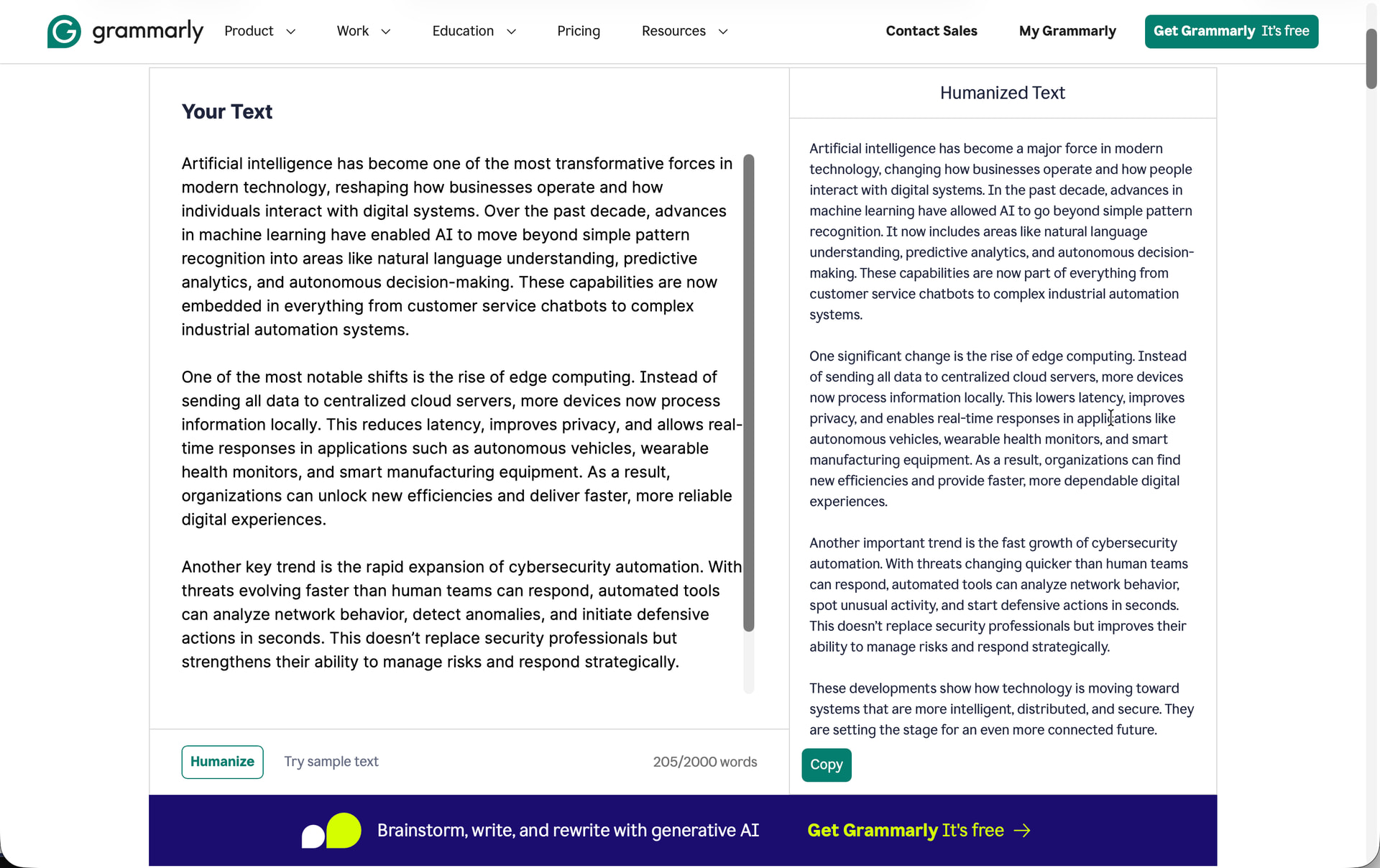
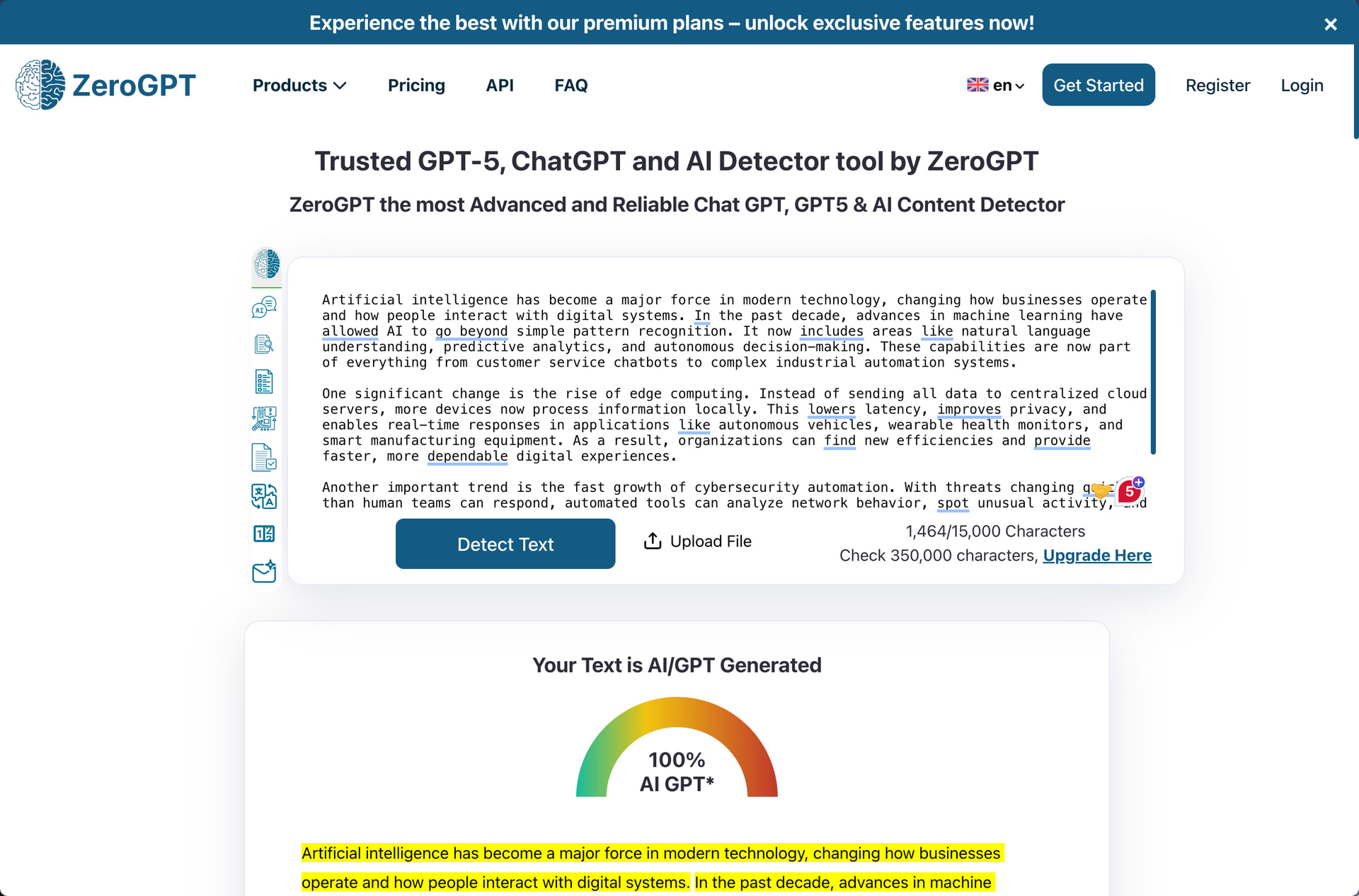
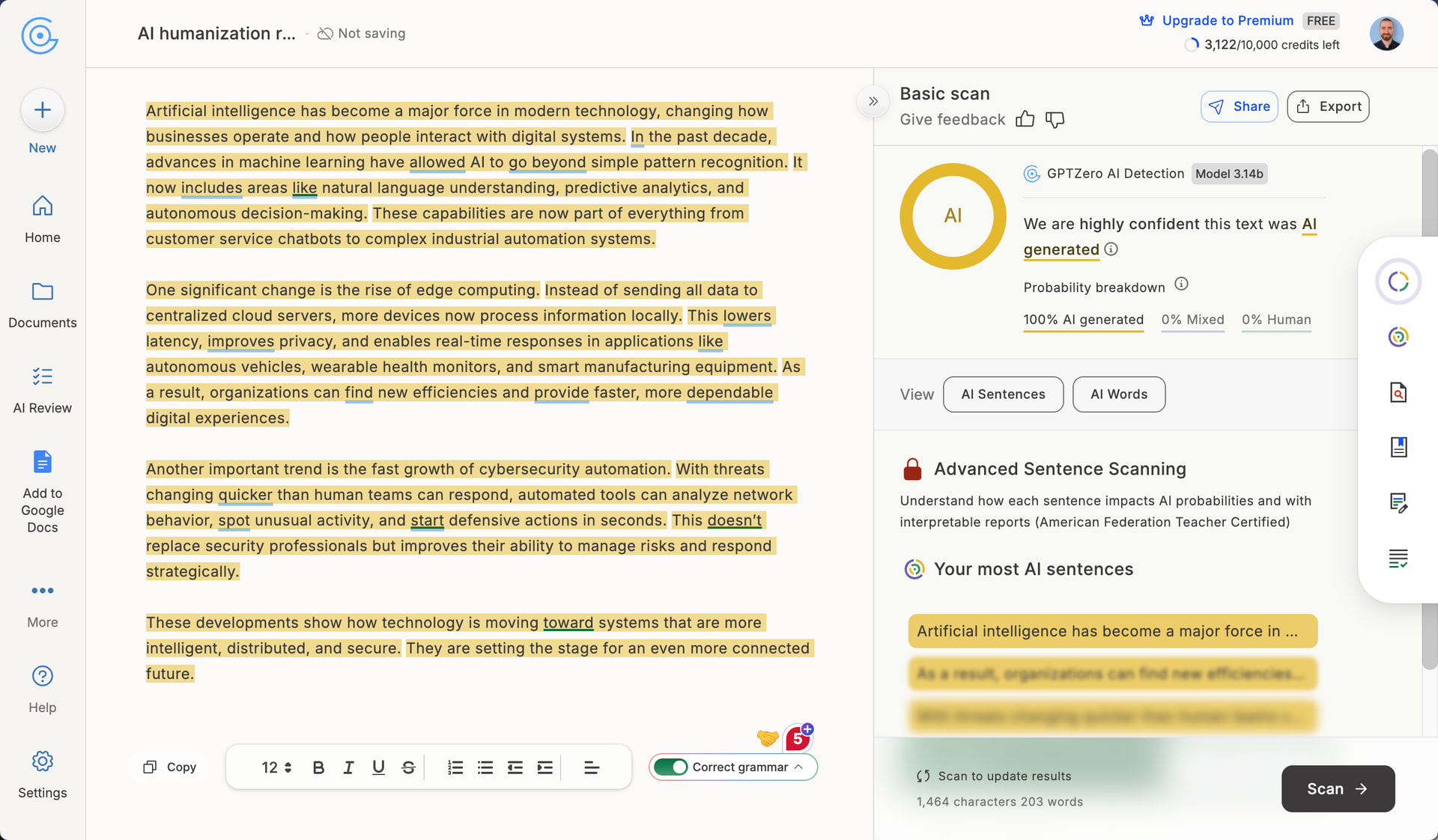
One thing I did appreciate is that Grammarly didn’t artificially inflate the word count. Instead, its outputs stayed roughly the same length as the originals. Many competing humanizers aggressively expand text by 30-50% to achieve lower detection scores, which can be annoying when you’re working within word limits because then you have to do a lot of time-consuming editing.
How Well Does Grammarly AI Humanizer Maintain Writing Quality?
Writing Quality Score: 7/10
All AI humanizers I’ve tested so far, such as Aihumanize.io or HumanizeAI.io, produce awkward phrasing, grammatical errors, and nonsensical constructions. Grammarly is different! Its outputs are clean, readable, and professionally written.
The first sample text on AI humanization was characterized by clear explanations like “Users can engage in conversations that flow like real human interactions, rather than dealing with something that seems rigid or mechanical.” No broken sentences, no weird word choices, no redundant phrasing.
The second text covering technology trends was equally solid. Sentences like “Instead of sending all data to centralized cloud servers, more devices now process information locally” are clear and concise. The paragraph structure is logical, and transitions between ideas are smooth.
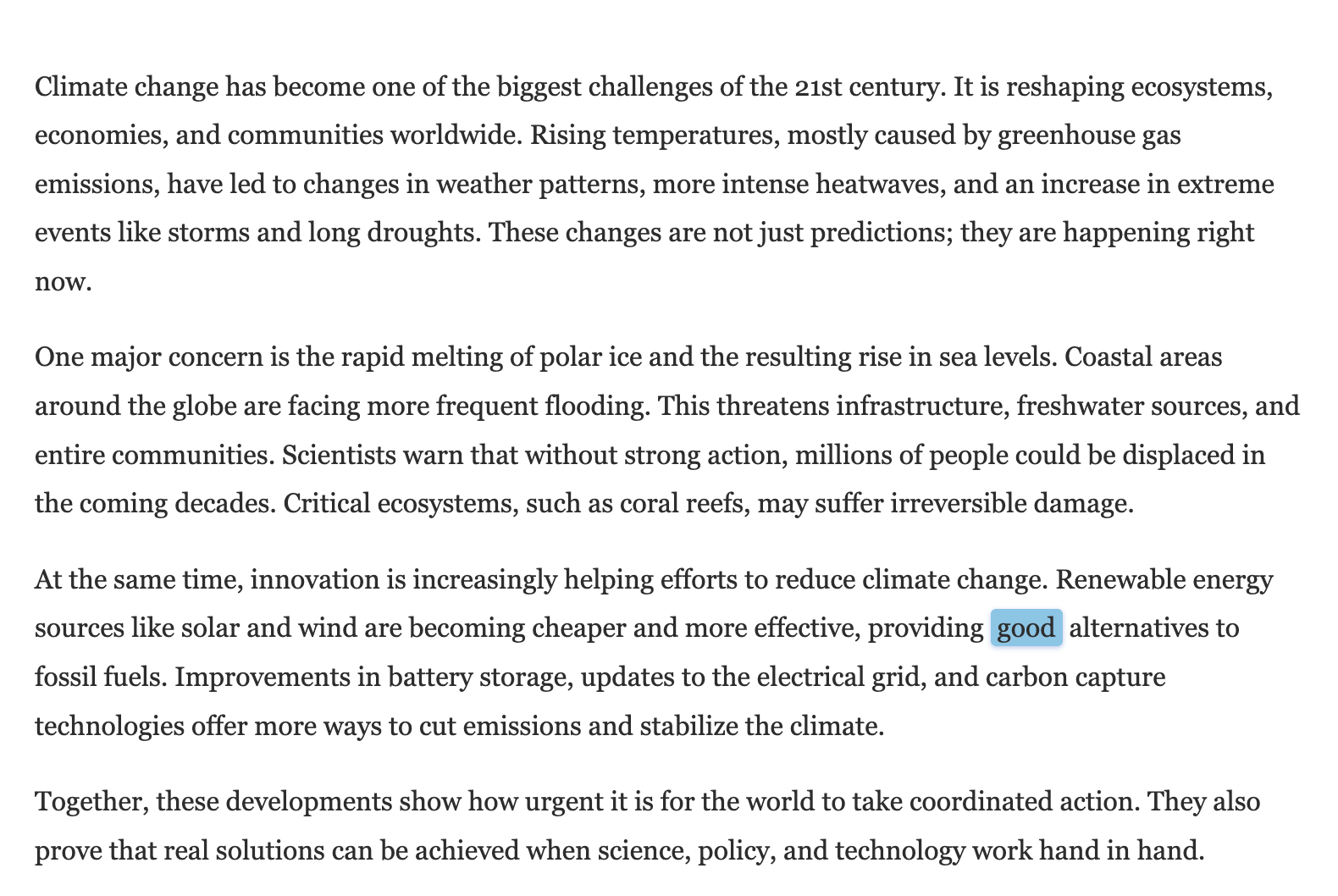
The third text on climate change maintained this quality with phrases like “These changes are not just predictions; they are happening right now” that read naturally and make the content engaging.
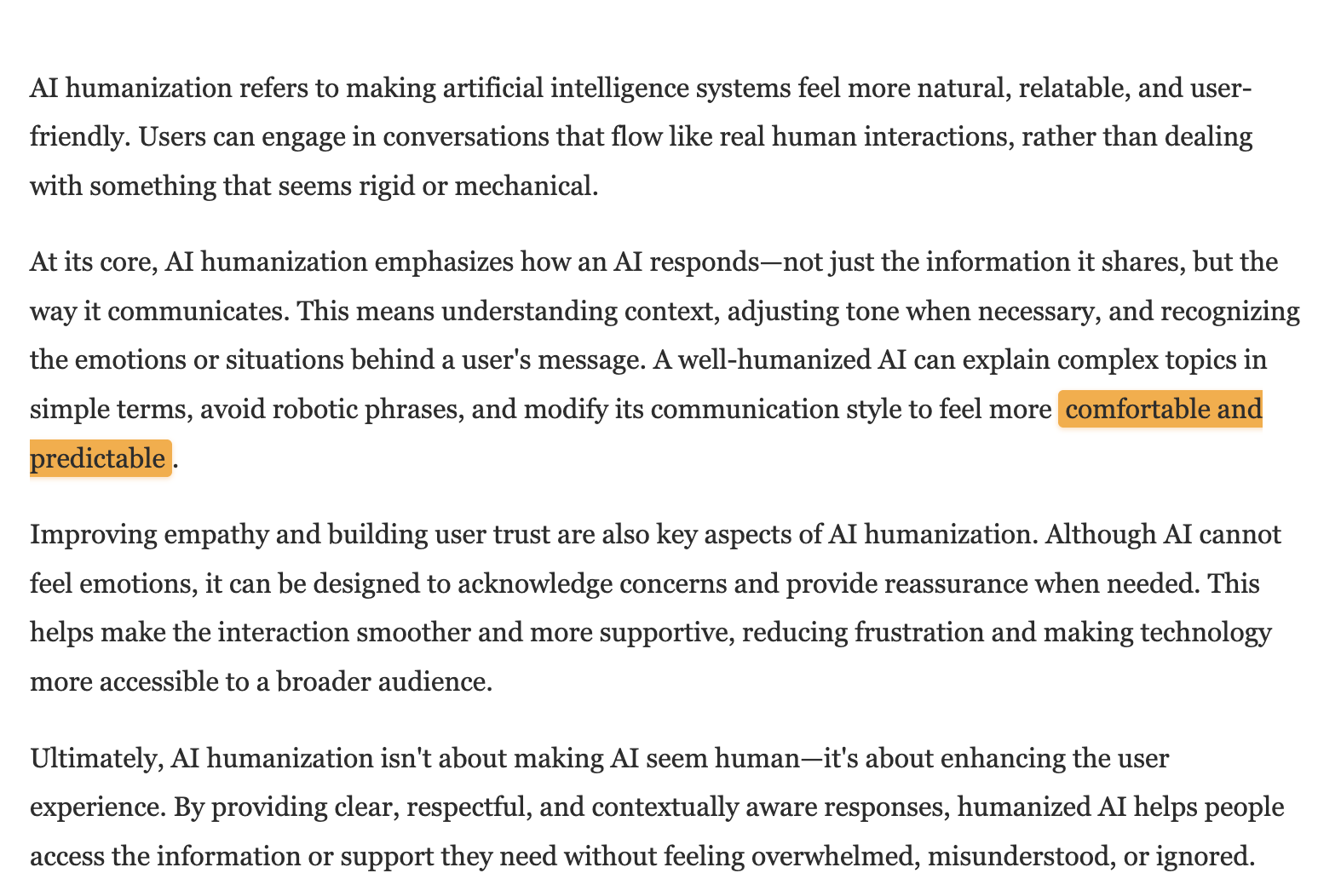
However, I did notice a few minor issues. The first text used the phrase “comfortable and predictable” to describe how AI should communicate, but “predictable” is an odd word choice since users typically want AI responses to feel natural, not necessarily predictable. In the third text, “providing good alternatives to fossil fuels” uses a weak, vague word where “viable” or “practical” would be more precise.
The bigger problem is that the text still feels like AI writing. There’s no personality, no distinctive voice, no unexpected turns of phrase. Grammarly polishes the surface but doesn’t fundamentally change the underlying patterns that AI detectors and humans alike have learned to recognize since the first public release of ChatGPT.
So, I’m not really sure who this AI humanizer targets because it doesn’t seem like a good fit for either of the two main groups of potential users. Those who want to avoid getting flagged for AI writing won’t find any help here because of the 100% detection rates. And those who simply want to improve the quality of AI-generated text are better served by Grammarly’s core grammar and style checker, which offers far more control and detailed suggestions than this one-click humanizer.
How Much Does Grammarly AI Humanizer Cost?
Grammarly bundles its AI Humanizer into its broader writing assistant platform, so you’re paying for Grammarly’s entire suite of grammar checking, tone adjustment, and AI writing tools.
| Plan | Monthly Price | Yearly Price | AI Prompts | AI Detection |
|---|---|---|---|---|
| Free | €0 | €0 | 100/month | No |
| Pro | €30 | €12/month (€144/year) | 2,000/month | Yes |
| Enterprise | Contact Sales | Contact Sales | Unlimited | Yes |
The AI Humanizer tool itself is available on the Free tier, which lets you humanize one text without even creating an account. After that first use, you’ll need to sign up for a free Grammarly account to continue using the tool.
At €12/month (billed annually) or €30/month (billed monthly), Grammarly Pro is priced similarly to dedicated humanizers like Aihumanize.io’s Pro plan ($25/month) or HumanizeAI.io’s Premium plan ($30/month). The difference is that Grammarly gives you a complete writing toolkit (grammar correction, tone detection, plagiarism checking, and AI detection) rather than just a humanization feature.
The value proposition here is complicated. If you already use Grammarly for its core writing features, the AI Humanizer is essentially a free bonus. But if you’re specifically shopping for an AI humanizer and don’t need Grammarly’s other tools, paying €12-30/month for a humanizer that doesn’t actually reduce AI detection scores is a tough sell, especially when the Free tier already gives you access to the humanizer functionality.
My personal theory is that Grammarly created this humanizer primarily to capitalize on the growing demand for AI humanization tools. By having a product in this space, Grammarly appears in search results when users look for AI humanizers, which drives traffic to their ecosystem and potentially converting those visitors into paying customers for their core grammar and writing tools. From this perspective, it doesn’t really matter if the humanizer is amazing or not. As long as it brings new users to Grammarly’s platform, it’s doing its job.
Does Grammarly AI Humanizer Respect User Privacy?
According to Grammarly’s privacy policy and terms of service, the company collects a standard range of data for a writing assistance platform:
-
Account information: email address, password, name, and email preferences
-
Payment information: transaction details processed through third-party payment providers
-
User content: text, documents, and any content you allow the service to access
-
Technical information: IP address, device type, browser type and version, time zone, and location
-
Usage data: activity on websites and apps, feature usage, and interaction patterns
-
Cookie data: session cookies, preference cookies, security cookies, and advertising cookies
The good news is that Grammarly explicitly states that users “own all right, title, and interest” in their content. What’s more, Grammarly offers an AI training control in your account settings that lets you decide whether your content can be used to train their AI models.
You should probably at least check the AI training control settings because by using the service, you grant Grammarly a broad license to “use, store, reproduce, publish, publicly display, modify, and create derivative works” from your content. This license is used for operating the service, improving features, and developing new products.
As far as advertising goes, Grammarly does share some data with advertising partners, including cookie IDs, IP addresses, and unique identifiers generated from your email address. They’re transparent about this, and users can opt out of targeted advertising through the “Your Privacy Choices” link on their website.
Your data may be transferred to and processed in the United States, regardless of where you live. For European users, Grammarly complies with the EU-U.S. Data Privacy Framework.
Overall, Grammarly’s privacy practices are more transparent and user-friendly than many dedicated AI humanizers I’ve reviewed. It’s also VERY clear that actual human lawyers have written the privacy policy and terms of service documents because they’re very detailed and tailored specifically to Grammarly’s services.